RHS Garden Bridgewater · Free bike share trial
From the train to the gardens. Free.
Borrow a Mosa bike at Walkden station, ride straight to RHS Garden Bridgewater, and dock it when you arrive. It’s free for the whole trial, and free for the ride back too.
The trial runs every day from 6 July to 31 October 2026.
Find out more about the trial, or visit the RHS Bridgewater website.
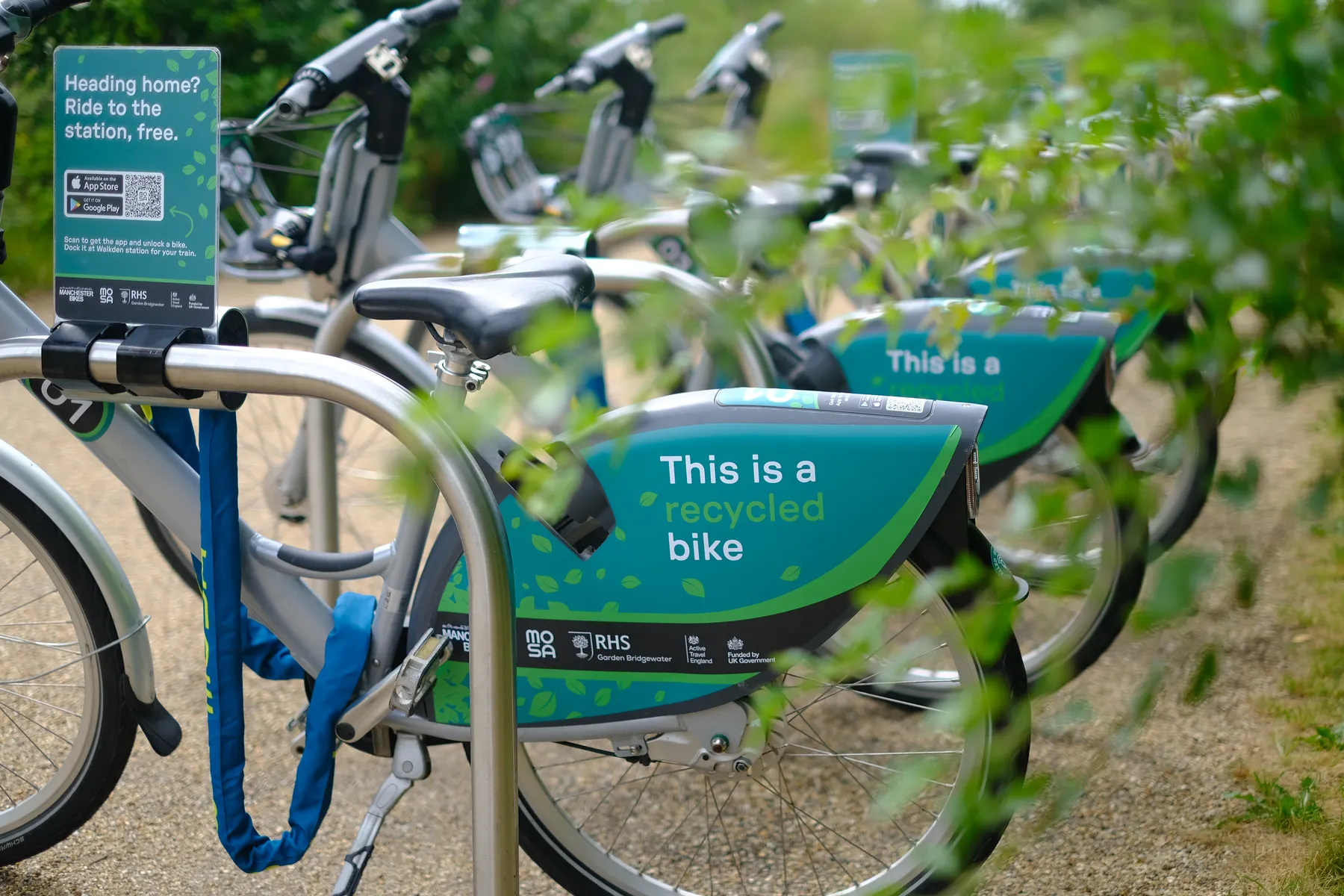
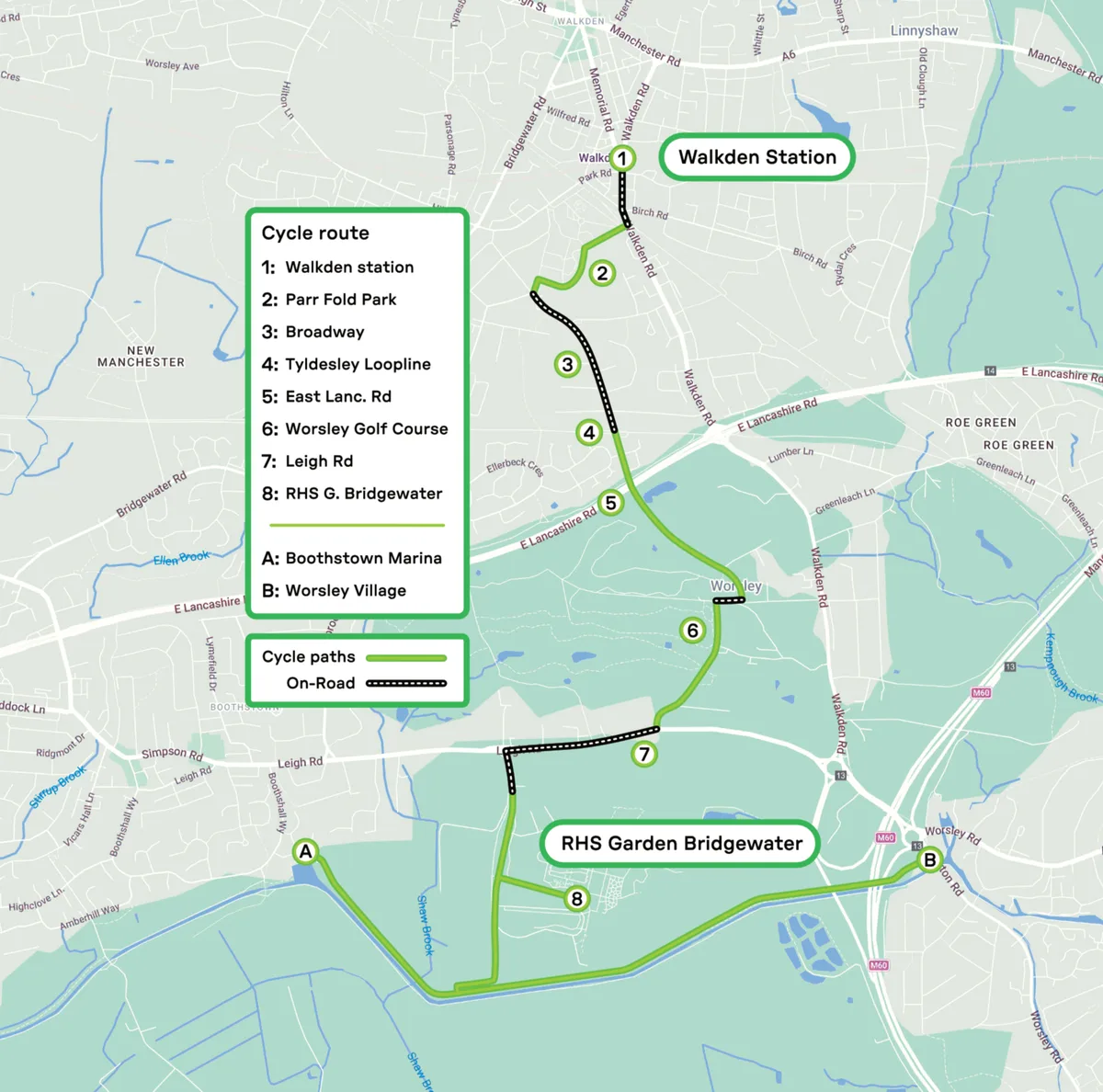
Quick and green
A convenient, low-carbon way to visit: ride to the garden in around 15 minutes, on a route that is mostly off-road cycle paths.
View the cycle route PDF →30% off for your effort
Arrive car-free and RHS Garden Bridgewater gives you a generous 30% off your entry ticket.
Those 15 minutes on a bike help your wallet, your health and the planet. 🌍
Plan your visit to RHS Garden Bridgewater →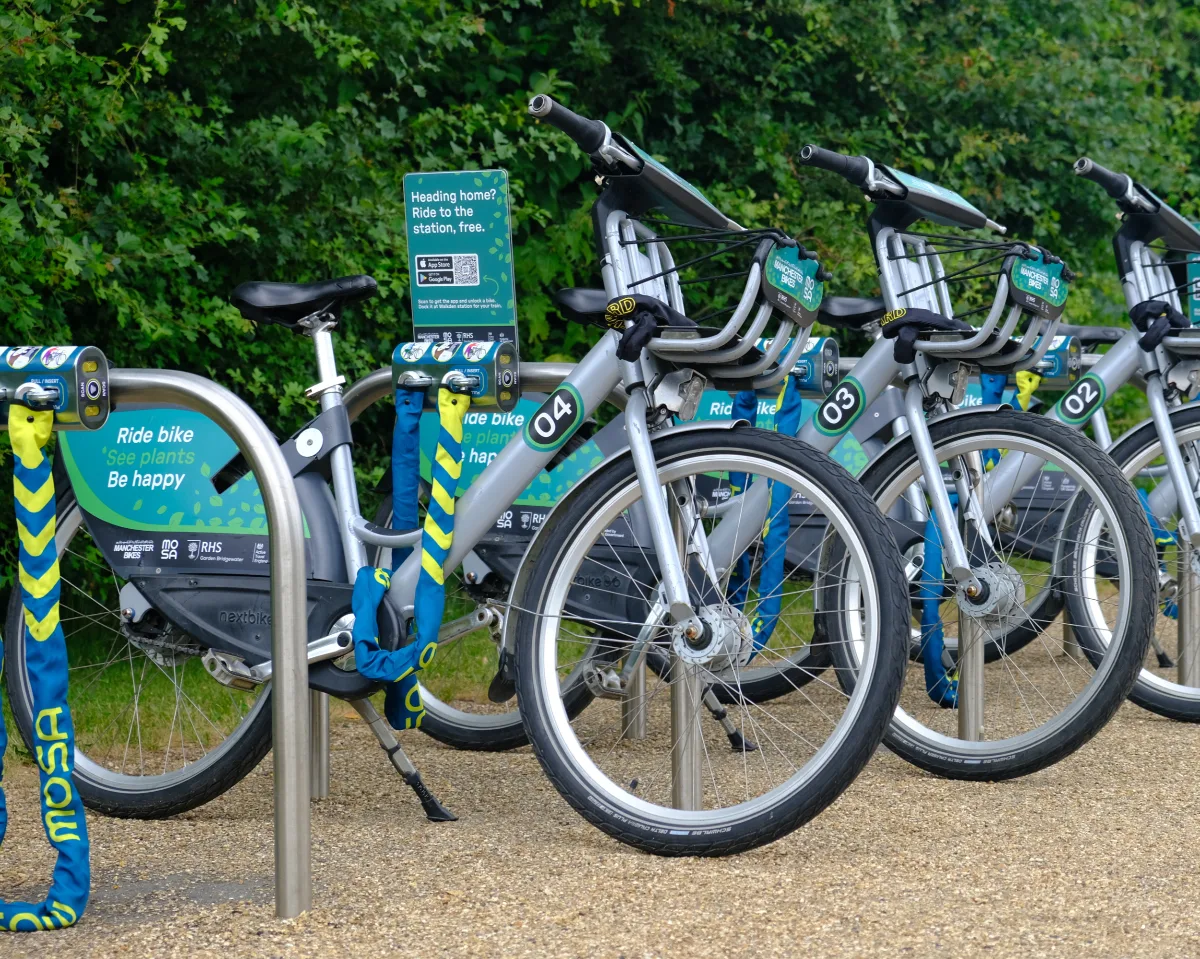
How to ride
Find a dock
At Walkden station or at the garden.
Unlock with the app
Choose a bike and the dock releases it.
Ride
Follow the signposted green way.
Return it to a dock
Re-lock it, then take the evidence photo in the app.
Bikes are available every day from 6:30am. Docks close at 8:30pm at Walkden station and 7:30pm at RHS Garden Bridgewater.
Get the app
Free to use for the whole trial, from 6 July to 31 October 2026.
Frequently asked questions
About the scheme
What is the RHS Garden Bridgewater bike share trial?
A short-term bike share trial that lets you ride between Walkden station and RHS Garden Bridgewater using an app.
It is a public trial running daily from 6th July to 31st October 2026, between 6:30am and 8:30pm. You unlock a bike with your phone, ride it, and return it to a docking point at either end. It is designed to give you an easy, car-free way to cover the journey between the station and the garden.
Who runs the scheme?
Manchester Bikes runs it, RHS supports it, and it uses the Mosa platform.
Manchester Bikes is the operator responsible for the bikes and your rides. RHS supports the trial as the destination partner at RHS Garden Bridgewater. Mosa provides the technology behind it: the app you download and the smart docks the bikes lock into.
What is Mosa?
Mosa is the technology that powers the scheme: the app and the smart docks.
Mosa is not the operator and does not run the trial itself. It provides the smart docking and locking hardware plus the app you use to unlock, ride, and return a bike. If you have a question about the bikes or need help, the operator (Manchester Bikes) is your point of contact via the app.
When can I ride?
Every day from 6:30am, from 6th July to 31st October 2026. Docks close at 8:30pm at Walkden station and 7:30pm at RHS Garden Bridgewater.
You can only start a ride during these hours. Please plan your trip so you return and re-lock your bike before the dock you are riding to closes. Bikes cannot be unlocked outside operating hours or after the trial ends on the 31st of October.
Where can I ride?
Between Walkden station and RHS Garden Bridgewater, with docks at each end.
The trial is built around this single route, so you start at a Mosa dock at one end and finish at a Mosa dock at the other. You are free to take a sensible route between the two, though the signposted green way is recommended, and there is a secondary lock on each bike for quick stops along the way (see below). Your ride only ends when the bike is returned to a Mosa dock.
Getting started
How do I join and download the app?
Download the Mosa app from the App Store or Google Play, create an account, and add a payment method.
Search for Mosa or use the links on this page. Once you have signed up and added a payment card, you are ready to find and unlock a bike. Signing up and using the scheme during the trial is free. A £75 security deposit is held on your card when you unlock a bike, but no money is taken for the ride, and the hold is only taken if the bike is not returned or is returned damaged.
Who can use the scheme?
Anyone 18 years of age and older with the app and a valid payment method.
You will need a smartphone, the app installed, and a payment card added to your account. You must be 18 to ride. By unlocking a bike you agree to the operator’s terms and to ride responsibly.
How much does it cost?
It is completely free for the duration of the trial.
The “free” price is shown in the app before you start a ride, so there are no surprises. However, when you unlock a bike, a temporary pre-authorisation hold is placed on your card; see “What is the pre-authorised payment?” below.
Riding
How do I unlock a bike?
Open the app, choose an available bike at the dock, and follow the prompts to unlock.
The app shows you where bikes are available and which are free to use. Select one, confirm, and the dock releases the bike. From the moment it is unlocked, the bike is in your care.
What is the small secondary lock for?
It is for quick stops, like a cafe, when you are not ending your ride.
Each bike has a small secondary lock so you can safely pause your journey, for example to stop at a cafe along the way. The code for the lock is displayed in the app once your session has started. Using it does not end your ride and does not remove your responsibility for the bike. Keep the bike within sight where you can and only use the secondary lock for short stops.
Are the bikes electric?
No, the bikes are conventional pedal bikes.
You’ll need to pedal the bikes under your own steam, and feel great when you arrive! It’s a good idea to give the brakes and tyres a quick check before you set off.
Do I need a helmet?
A helmet is strongly recommended.
For your safety we recommend wearing a helmet on every ride. Helmets are not provided however, so please take care if riding without one. Please also ride in line with the Highway Code and ride considerately around pedestrians.
Ending your ride
How do I end my ride?
Return the bike to a Mosa dock before it closes, re-lock it, then take the evidence photo.
Ride to a Mosa dock at Walkden station by 8:30pm or RHS Garden Bridgewater by 7:30pm, secure the bike into the dock, and wait for the app and the dock to confirm it is locked. You then take an evidence photo in the app to complete the return. Your ride is only finished, and your responsibility only ends, once all of these steps are done.
Why do I need to take an evidence photo?
It confirms the bike was returned and locked correctly, and it protects you.
The photo is your proof that the bike was docked and re-locked properly at the end of your ride. It is a required step. If you skip it, your return cannot be confirmed and your pre-authorised payment may be held for longer than usual.
Am I responsible for the bike during my ride?
Yes. You are responsible for it from the moment you unlock it until it is docked, re-locked, and the photo is taken.
Once you unlock a bike, it is in your care. That responsibility only ends when the bike is back in a Mosa dock, successfully re-locked, and you have taken the evidence photo. The secondary lock does not transfer this responsibility, so look after the bike throughout your trip.
Payments and holds
What is the pre-authorised payment?
A temporary £75 security deposit hold placed on your card when you unlock a bike, released after a correct return.
When you start a ride, £75 is pre-authorised on your card. It is a security deposit for the operator, in case a bike is not returned or is returned damaged. Riding is free, and no money is taken for the ride. The hold is only taken if the bike is not returned or is returned damaged. Otherwise it is released after 48 hours once your bike is returned, re-locked, and the evidence photo is taken.
Why might my payment be held for longer?
Most often because the evidence photo is missing or the return could not be confirmed.
If you do not take the evidence photo, or the bike is not properly docked and re-locked, the system cannot confirm a clean return. When that happens the pre-authorised amount may stay on your card for longer. Completing every return step in full is the best way to avoid this.
I forgot to take the evidence photo. What now?
Contact support as soon as possible so your return can be confirmed.
To avoid your pre-authorised payment being held longer than necessary, go back and take a photo of the bike you used as soon as you can. Then contact support via the app and send us the photo so that we can quickly finalise your session.
If this is not possible, please contact support via the app to let us know and we’ll get someone to verify the bike’s condition for you.
How long is the payment held for?
The hold is released after 48 hours once your bike is returned, re-locked, and the evidence photo is taken.
Problems and safety
The bike looks faulty before I unlock it. What should I do?
Do not unlock it. Report it in the app’s support section and choose another bike.
Give the bike a quick once-over first: brakes, tyres, and the general condition. If something is not right, report it through the app’s support page so it can be checked, and pick a different bike.
The bike has a problem during my ride. What should I do?
Stop safely, return it to a dock or secure it with the secondary lock, and contact support.
Pull over somewhere safe. If you are still near a dock, please return the bike to the dock. If not, use the secondary lock to keep the bike secure, and immediately contact the operator via the app. Do not continue riding a bike that is not safe.
I cannot find a dock, or the dock is full. What do I do?
Do not leave the bike loose. Contact support and follow their instructions.
Your ride can only end at a Mosa dock, so a bike left unlocked or away from a dock stays your responsibility. If you cannot dock the bike, contact support straight away and they will guide you. Never leave the bike unattended outside a dock.
What if I still have a bike near closing time?
Return and re-lock it before the dock closes. If you cannot, contact support.
Operating hours end at 8:30pm for Walkden station, and 7:30pm for RHS Garden Bridgewater. Plan to return the bike to either of these locations with time to spare. If something prevents you from docking in time, get in touch with support via the app as soon as you can.
The bike is lost, stolen, or damaged. What should I do?
Report it to the operator immediately.
Contact support via the app right away. Because the bike is in your care until it is docked and re-locked, prompt reporting matters; the operator will advise on next steps.
I have had an accident. What should I do?
Look after yourself first. Call 999 if anyone is hurt, then report it to the operator.
Your safety comes first. Once everyone is safe, report the incident to the operator via the app so they can follow up and check the bike.
My phone battery died mid-ride. What happens?
You need the app to end your ride, so try to keep your phone charged.
The app is how you dock, re-lock, and take the evidence photo, so a flat battery means you cannot complete a return. You can use a friend’s phone to get the Mosa app and log in to your account to end the ride. Failing that, finish your ride and return the bike to a dock but use the small secondary lock to keep the bike secure while you find a way to charge your phone. The bike will still be in your care, so please return to it and end your session properly with the Mosa app as soon as you can, and contact support if you get stuck.
Other questions
What happens to my evidence photos and data?
Photos are used to confirm returns and are handled in line with the privacy policy and GDPR.
The evidence photo exists to verify that bikes are returned and locked correctly. Your information is processed in line with our privacy policy. If you have questions about your data, contact us at support@mosainnovations.com.
What happens when the trial ends on the 31st of October?
The service stops, so make sure your final ride is returned before then.
After 8:30pm on the 31st of October 2026 you will no longer be able to unlock bikes or use the docks. Please complete and return any ride well before the trial closes.
How do I get help?
Use the in-app support for urgent issues, or contact support@mosainnovations.com for general enquiries.
The quickest way to get help is through the app, where you can report issues and reach the operator, Manchester Bikes. You can also contact us at Mosa directly via email for non-urgent matters.
Funded by Active Travel England’s Innovation Fund.
Delivered by Mosa Innovations, Manchester Bikes, RHS Garden Bridgewater and CoMoUK.
Want this where you live? Register